

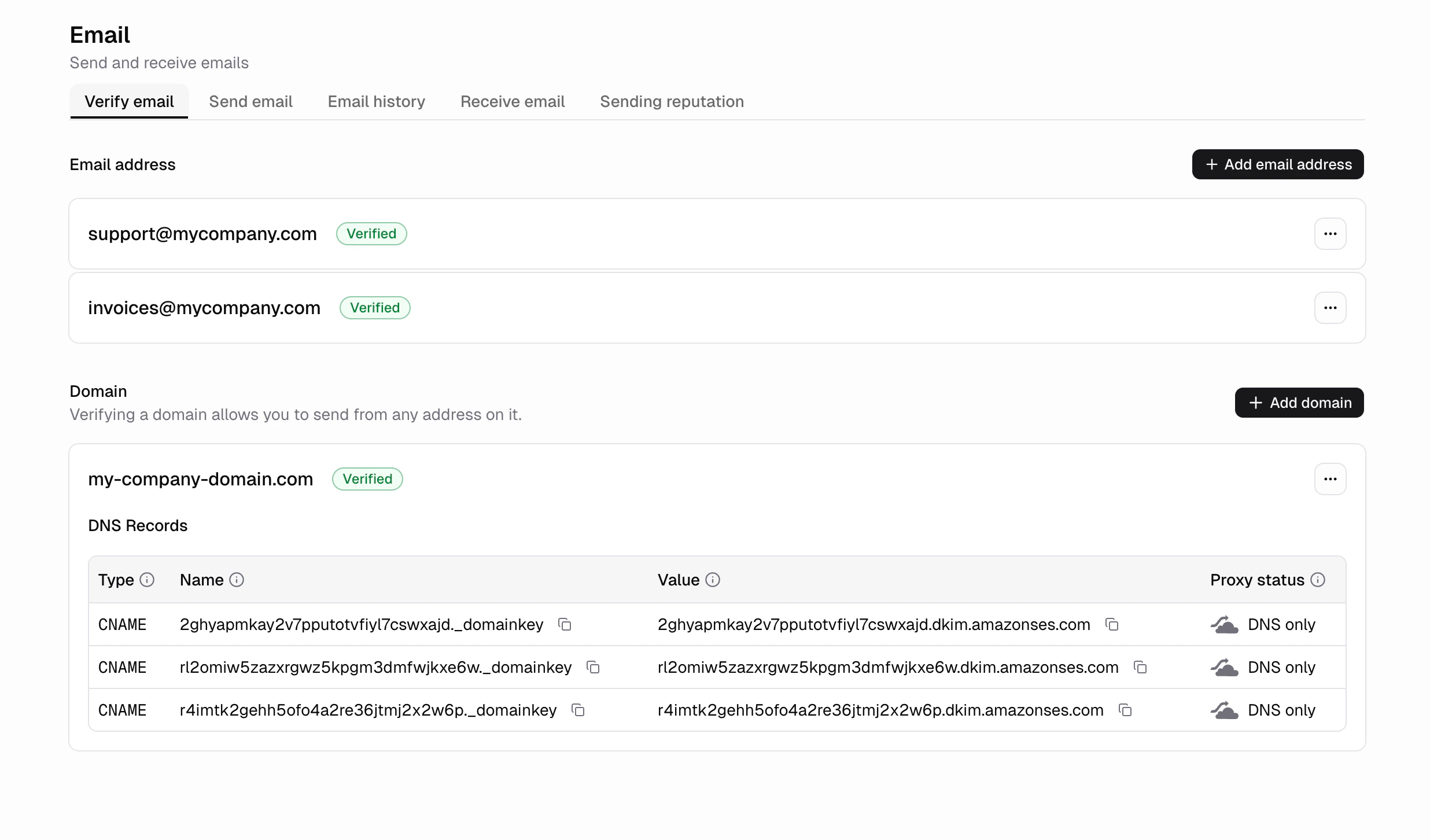
How do I get started?
- Go to the Emails tab
- Verify a single email or an entire domain
- That’s it!
Email sending examples
What are common use cases for sending emails from within my app?
- Welcome emails when a new user signs up
- Form submissions
- Invoices for a purchase
- Order confirmations after a purchase
- Account alerts like login from a new device
How do I send emails to all my users?
Go to the horizontal Send email tab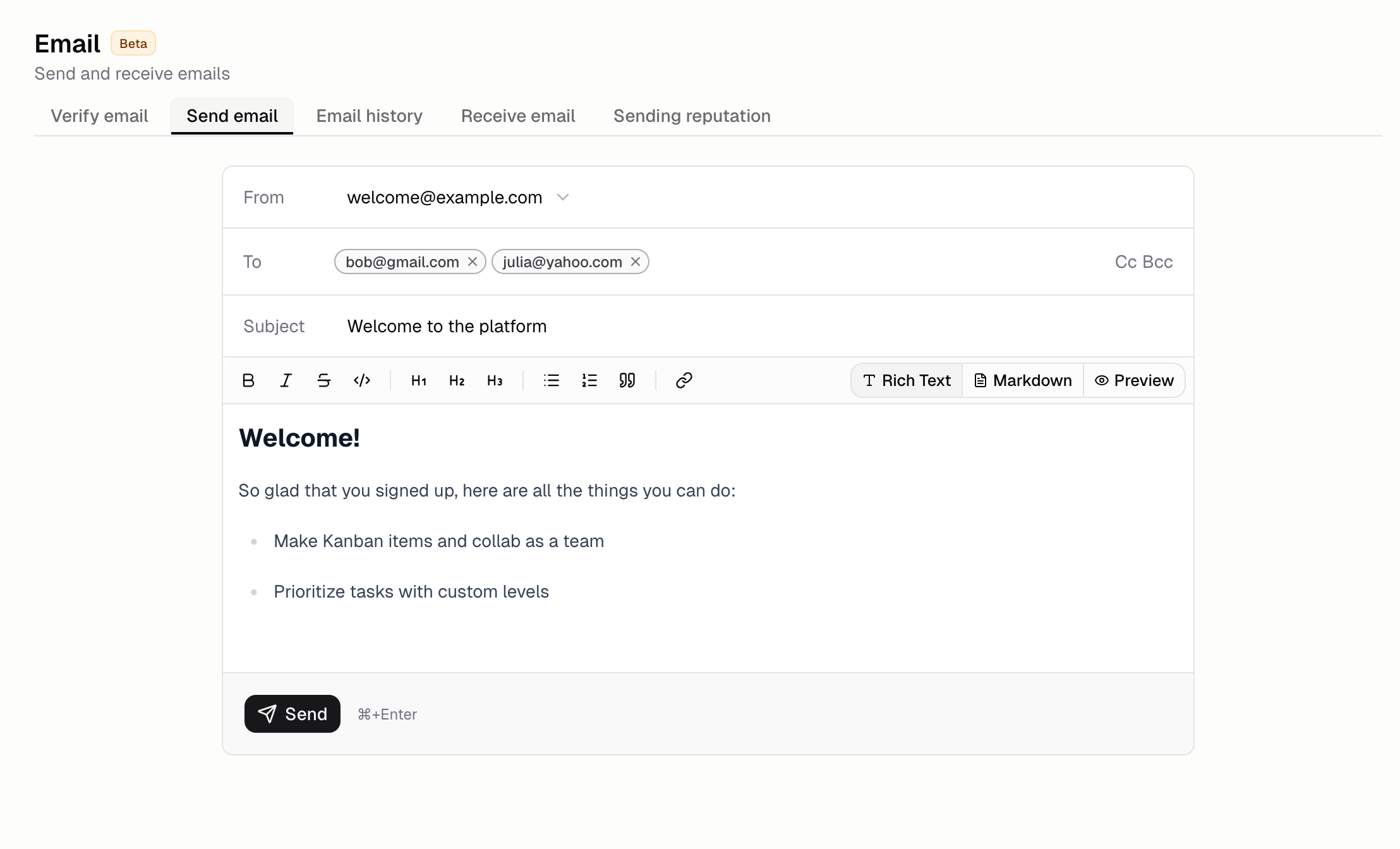
FAQ
How do I verify my email address?
How do I verify my email address?
- Go to the Emails tab
- Input the email address you want to send from.
- Click the verification link we send to that email
How do I verify my domain?
How do I verify my domain?
- Go to the Emails tab
- Input the domain you want to send from.
- Follow the instructions to add the DNS records to your domain’s nameservers
How do I verify a domain I purchased from Hercules?
How do I verify a domain I purchased from Hercules?
- Go to the Emails tab
- Input the Hercules domain you purchased.
- Follow the instructions to add the DNS records to your domain purchased on Hercules.
- Go to your Hercules purchased domain in the Domain page.
- Click DNS Records under you domain.
- Click + Add Record and add your DNS records.
Can I customize how my emails look?
Can I customize how my emails look?
Yes. Ask Hercules to update the design of your emails. You can change colors, layout, logo, and
content by describing what you want.
What happens if an email fails to deliver?
What happens if an email fails to deliver?
Failed emails show up as bounced in the Emails tab with a reason. Hercules stops sending to
addresses that permanently bounce to protect your sender reputation.
What is the difference between verifying an email and a domain?
What is the difference between verifying an email and a domain?
Verifying an email address lets you send from that specific email address. Verifying a domain lets
you send from any email address on that domain. Email verification is faster (click a link), while
domain verification requires adding CNAME records to your DNS.
Is there a limit on how many emails I can send?
Is there a limit on how many emails I can send?
Yes, your plan determines your monthly email limit.
- Free: 100 emails / month
- Pro: 10,000 emails / month
- Business: 100,000 emails / month
Do I need a separate email service like SendGrid or Mailgun?
Do I need a separate email service like SendGrid or Mailgun?
No. Hercules Emails handles everything. No external provider or API key is required.
I am receiving a 400 'No verified sender' error
I am receiving a 400 'No verified sender' error
This means no sender has been set up for your organization yet. It shows when
hercules.email.send() runs before you verify a sender.- Go to the Emails tab
- Verify an email address or a domain
- Send from that verified address
My email is verified but I am still receiving a 403 error
My email is verified but I am still receiving a 403 error
Your domain or email may be verified however, you may still be seeing an error when trying to send an email saying “Sender ‘hello@my-domain.com’ is not a verified identity for this website” when calling
hercules.email.send().This usually automatically resolves itself within 5 minutes. This is a known issue we are actively
investigating. If it persists after
5 minutes, please report an issue.My emails are going to spam. How do I fix?
My emails are going to spam. How do I fix?
- Check your Hercules email configuration setup. Make sure your email is properly set up and says “verified”.
- Make sure your email domain is correctly configured Use the following 3rd party tools to confirm everything is configured correctly:
- Google Admin Toolbox
- EasyDMARC SPF Lookup
- MXToolbox Email Health
- MXToolbox Deliverability
- GMass Analyze
- Check public spam reports. Use the following 3rd party tools to see if your domain is flagged:
- Test deliverability. Send a test email to a public inbox and check where it lands: