
How do I purchase a domain?
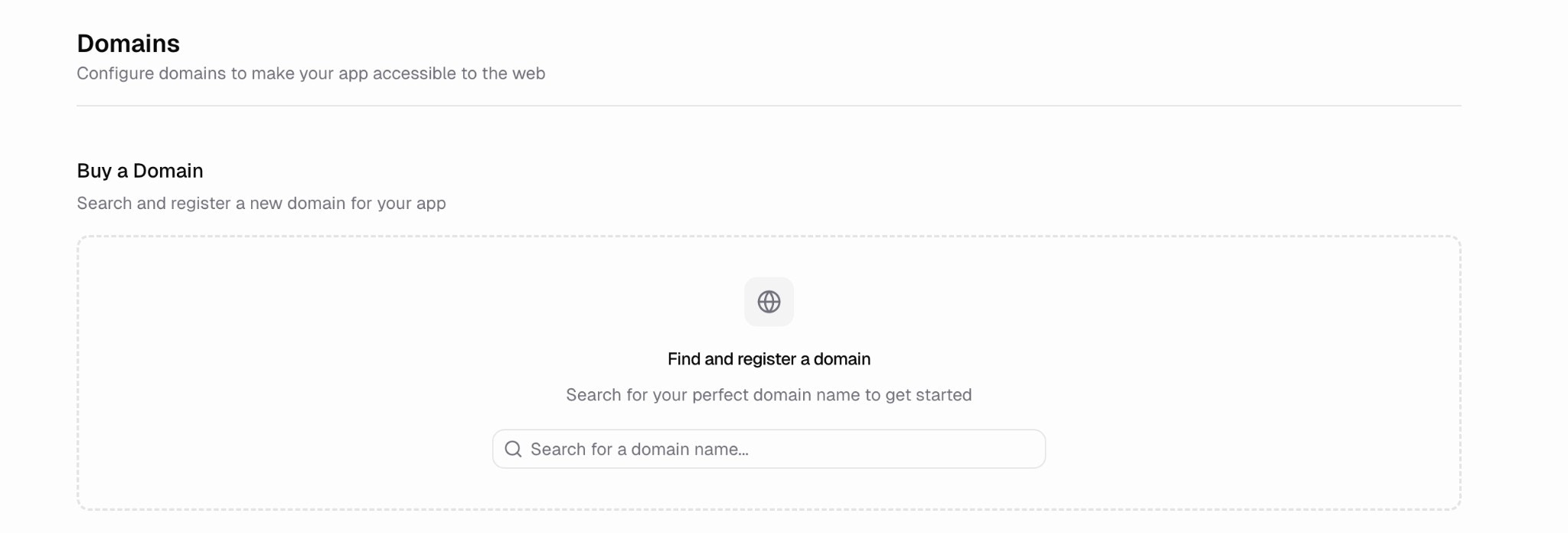
- Click the Domains tab in the sidebar
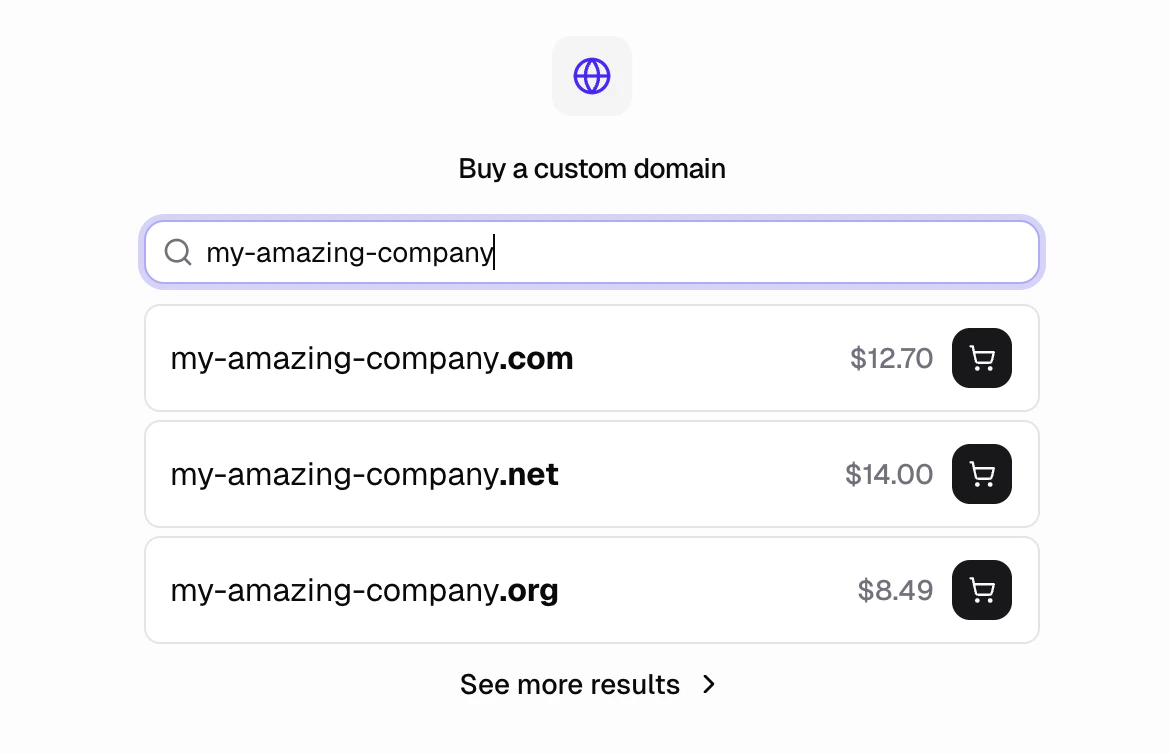
- Search for a domain name in the Buy a Domain search box
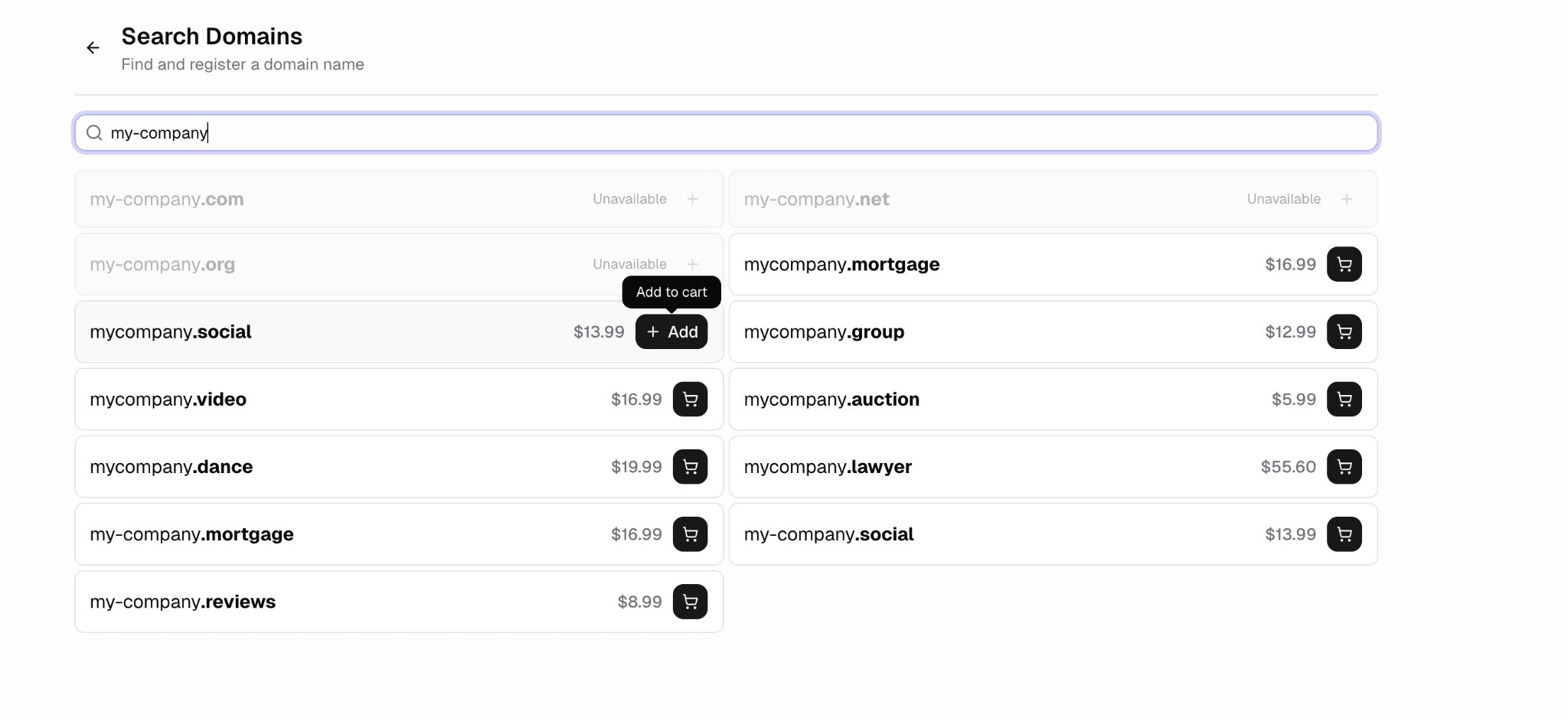
- Click “See more results” to browse all available options
- Add domains to your cart using the cart icon
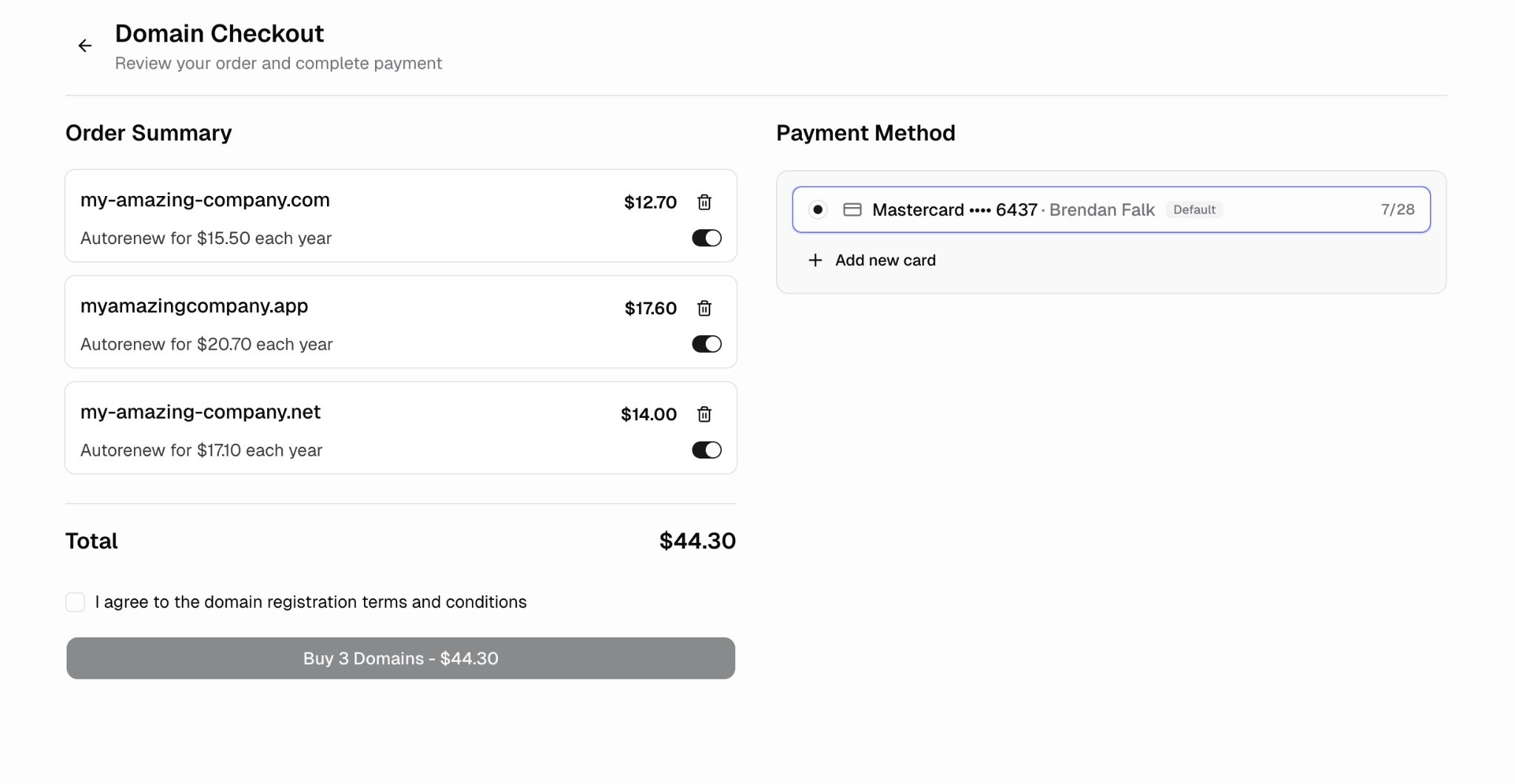
- Review your order and complete payment
How do I connect it to my app?
Domains purchased through Hercules are automatically connected to your app. No DNS configuration required.How much are domains?
Prices vary by domain extension (TLD). Common examples:.comdomains start around $12.70/year.netdomains start around $14.00/year.appdomains start around $17.60/year.shopdomains start around $3.99/year
How do I manage DNS records?
Open the Domains tab and click on your domain in the Purchased Domains section. You can view, edit, and delete all existing DNS records from here.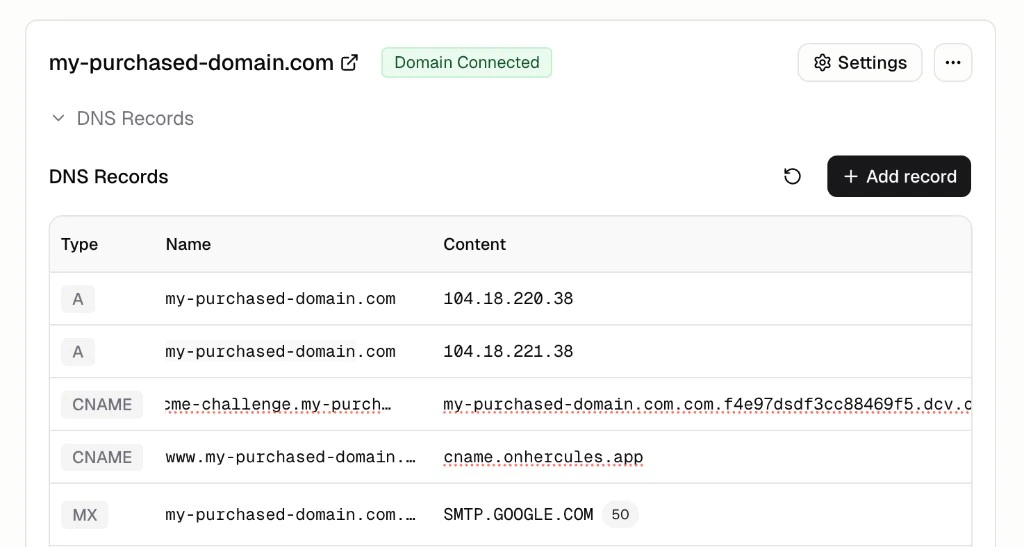
- A and AAAA (IPv4 and IPv6 addresses)
- CNAME (aliases)
- MX (mail servers)
- TXT (verification and policy records)
- SRV (service records)
Additional FAQ
What happens if I leave Hercules?
What happens if I leave Hercules?
You own the domain. If you leave Hercules, you can transfer your domain to another registrar
and point it wherever you like.
What's the difference between buying a domain and connecting an existing domain?
What's the difference between buying a domain and connecting an existing domain?
Buying a domain lets you register a brand new domain directly in Hercules. It’s
automatically configured and ready to use with no DNS setup.Connecting an existing domain lets you use a domain you already own from another registrar
(like GoDaddy or Namecheap). You’ll need to configure DNS records to point it to Hercules.
See Connect an existing domain for setup instructions.
Can I buy multiple domains at once?
Can I buy multiple domains at once?
Yes. Add as many domains as you want to your cart and purchase them together in a single
checkout.
How do I connect Hercules Email to my purchased domain?
How do I connect Hercules Email to my purchased domain?
- Go to the Emails tab
- Input your domain
- Add the CNAME records shown there to your domain’s DNS
How do I connect a 3rd party email provider (like Gmail, Outlook, Zoho) to my domain?
How do I connect a 3rd party email provider (like Gmail, Outlook, Zoho) to my domain?
You need to add the relevant MX DNS records for your email provider.
- Go to Domains → your purchased domain → Manage DNS → + Add record.
- Choose MX and enter the server values from your provider (e.g. Gmail, Outlook, Zoho).
How do I add/remove DNS records?
How do I add/remove DNS records?
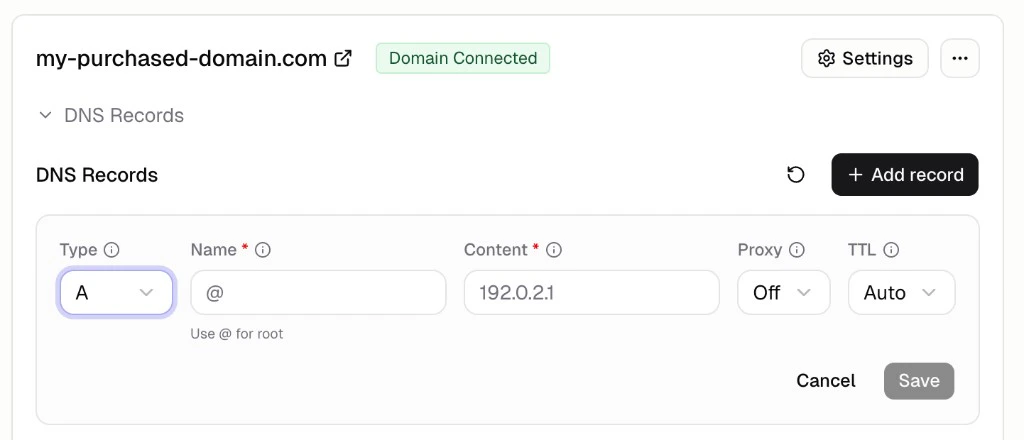
Go to Domains → your domain in Purchased Domains. View and edit records in the table.
Click + Add record to add. Click the delete icon on a row to remove it.